What Homing does.
-
Kraken to your wallet
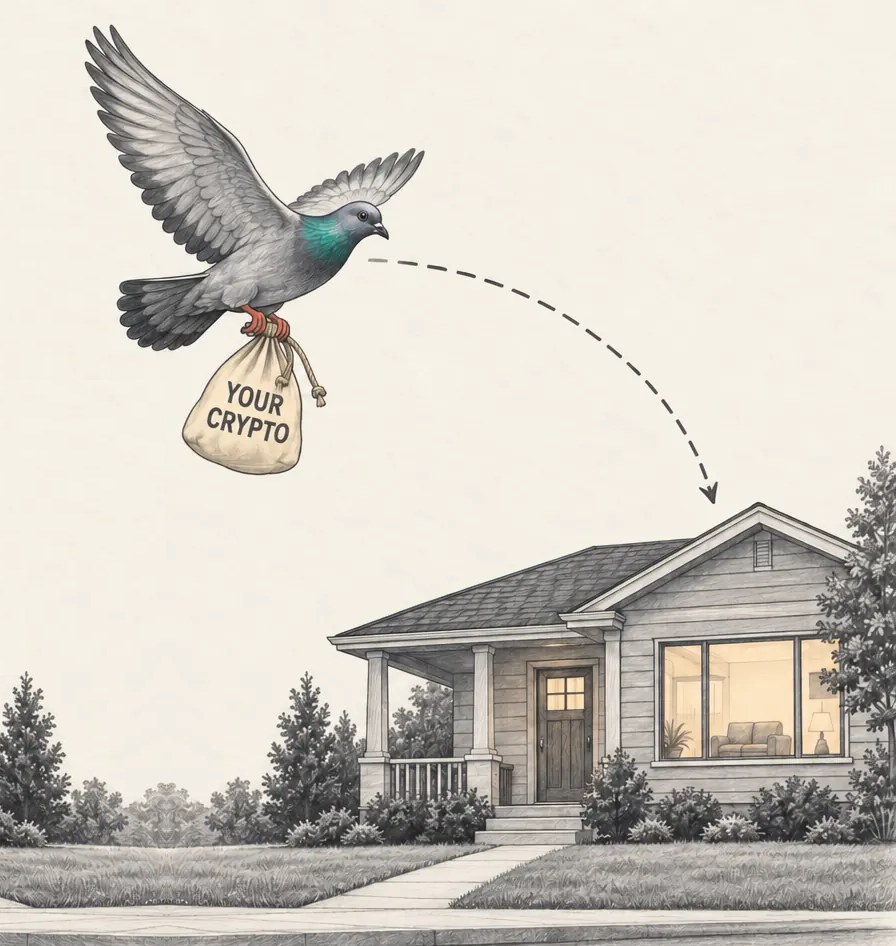
Homing asks Kraken to send the coins in your own account to the wallet you hold the keys to.
-
Only to addresses you saved
Homing uses an API key you make at Kraken, and Kraken sends only to wallet addresses you saved there yourself.
-
You approve every send
Nothing is sent until you approve it with Face ID, your fingerprint or your passcode.
Kraken stays in charge of your crypto.
-
Kraken decides every withdrawal
Homing sends your approved request to Kraken. Kraken's limits, holds, fees and identity checks all apply, and Homing can't skip them.
-
No holding and no trading
Homing isn't an exchange, a wallet or a trading bot. It never holds your crypto, and nothing sends by itself.
-
You can stop anytime
Disconnect Kraken in Homing's Settings, or delete the key at Kraken. Coins you haven't sent stay in your Kraken account.
If Kraken pauses withdrawals, Homing can't send from your Kraken account. Homing is independent. It isn't affiliated with or endorsed by Kraken.
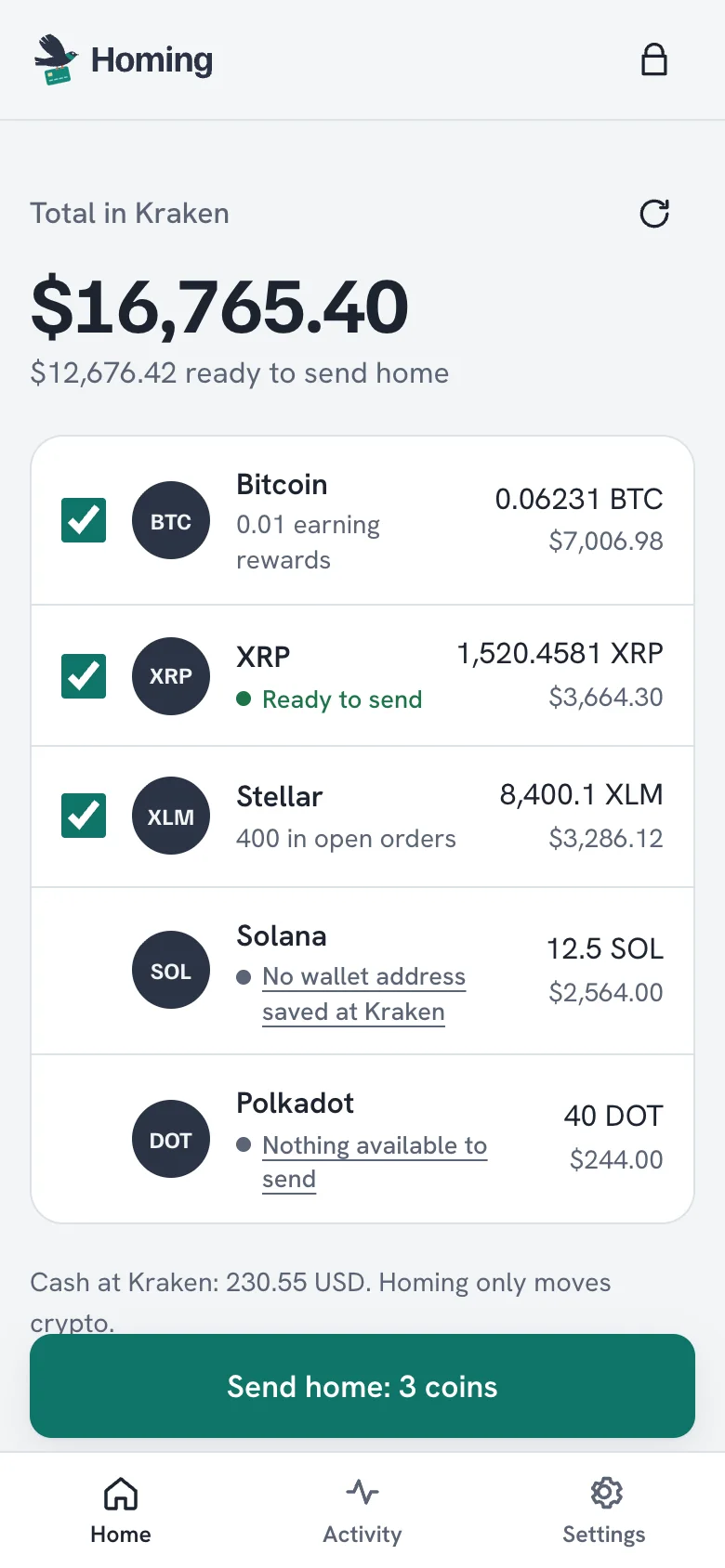
Several coins home at once, with one approval.
Homing shows every coin in your Kraken account in one list, with what each is worth. Pick the ones to bring home, approve them all with one tap of Face ID, your fingerprint or your passcode, and watch each one land in your wallet.
- Kraken's fee shown before you approve, and a limit on the fee you're approving
- Price alerts: a notification when a coin reaches a price you pick
- A full history of every transfer and account change
Set up once, in about 30 minutes.
Four steps the first time. After that, you pick, review and approve.
Watch the setup video, step by step-
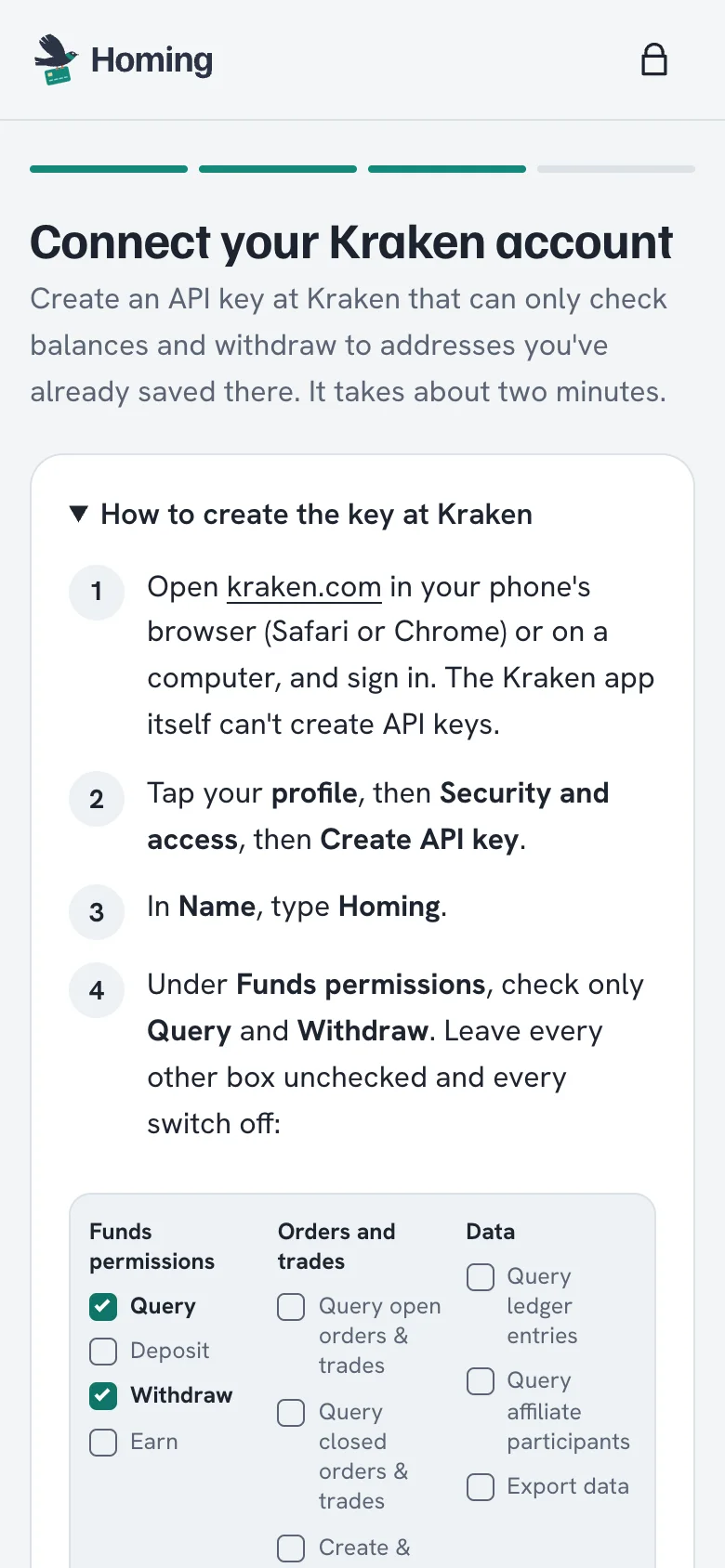
Connect Kraken with a limited key
Homing opens Kraken Pro in your phone's browser, because the Kraken app can't make API keys, and shows you each step there. The key can only check balances and withdraw, and Homing refuses any key that could trade or add addresses.
-
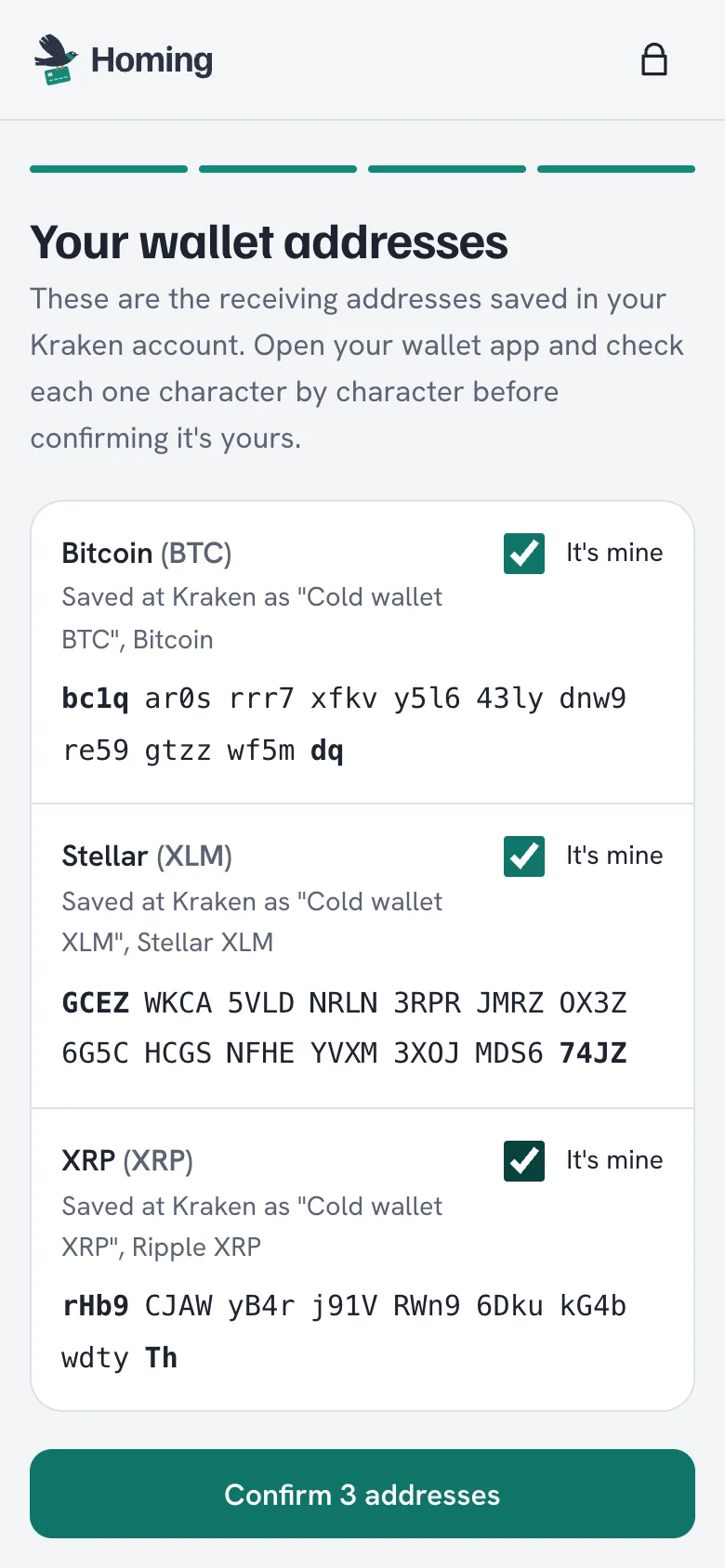
Check your wallet addresses
Homing reads the receiving addresses you already saved at Kraken and shows each one in full. You compare each one you'll send to with the receiving address in your wallet app, once.
-
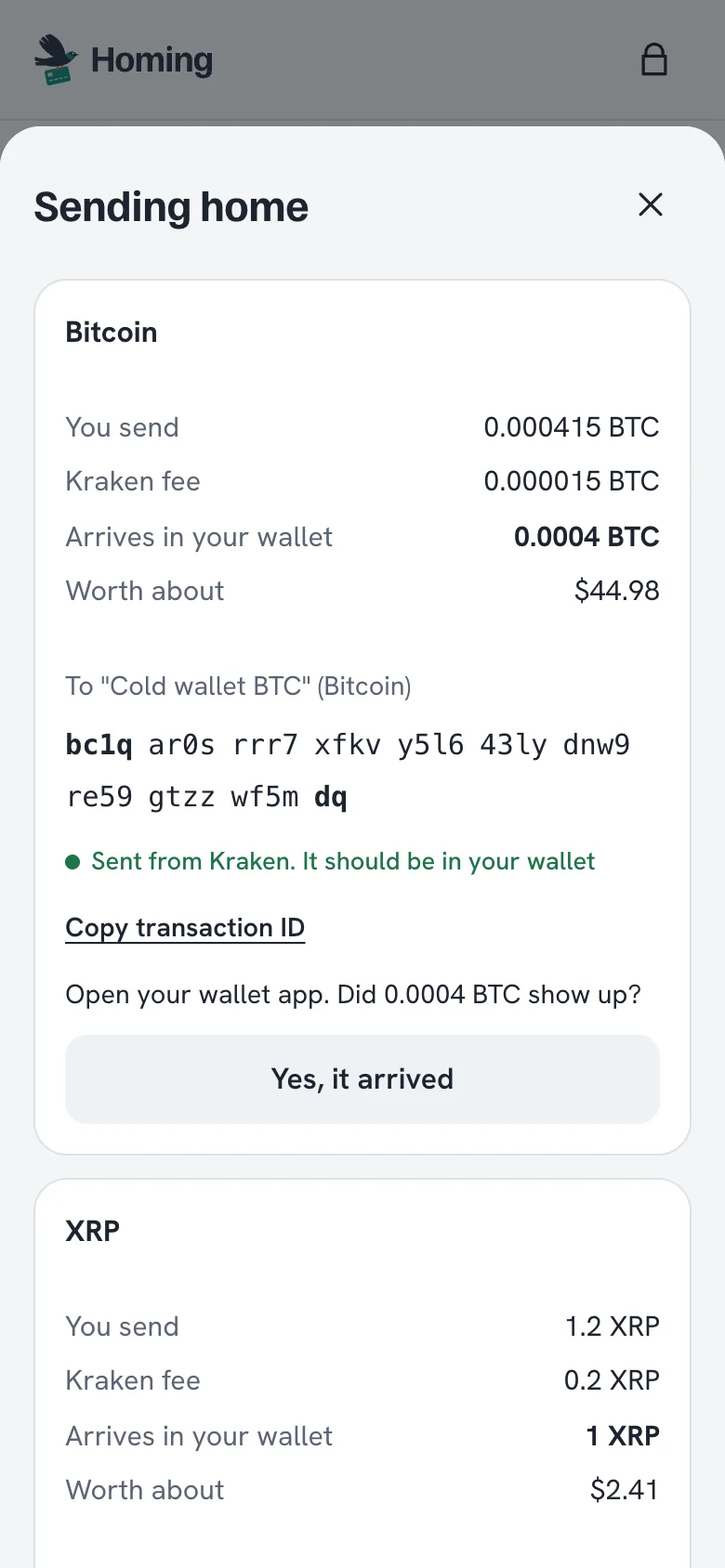
Send a small test, and check it arrived
The first send to each address is a small test, usually Kraken's smallest withdrawal. When it shows up in your wallet app, you tell Homing it arrived, and that address is verified.
-
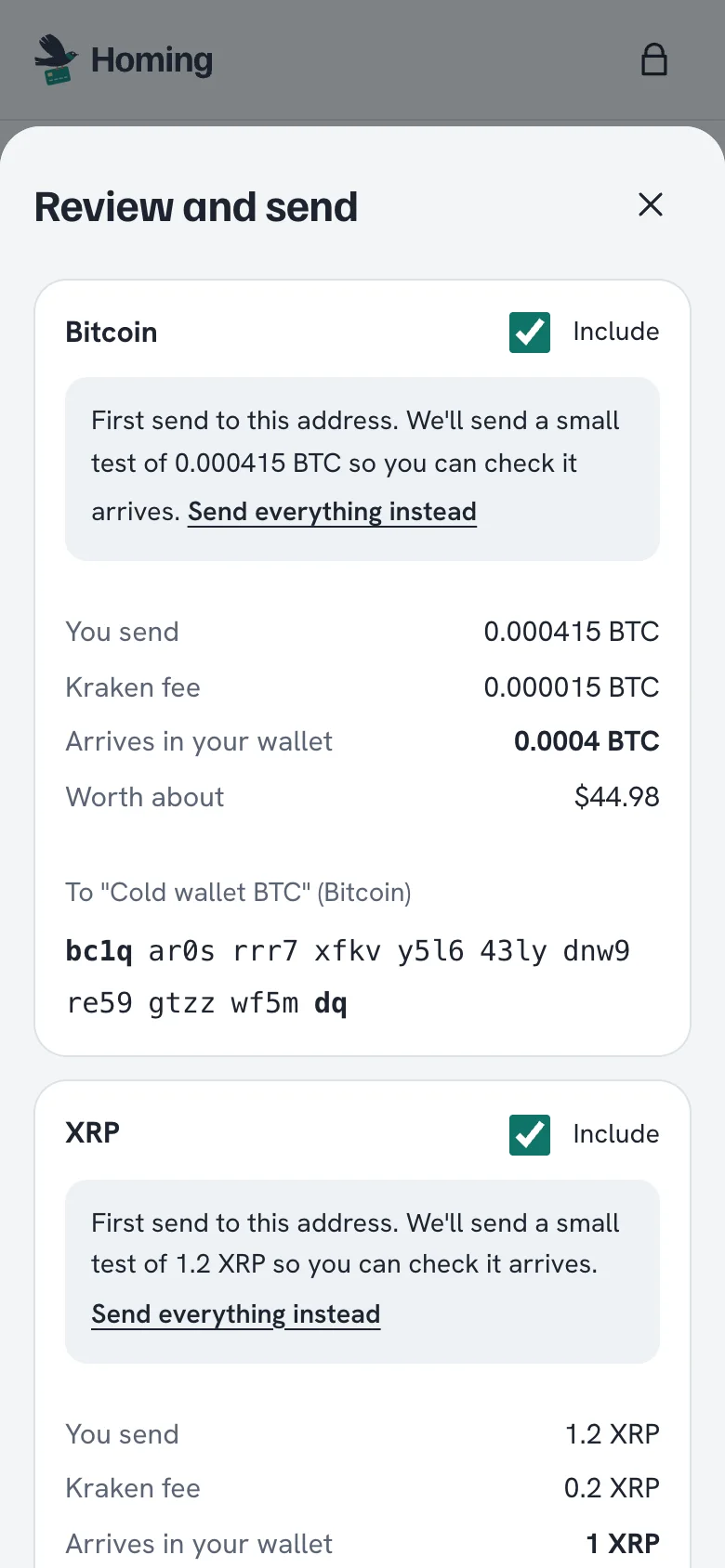
Send it home
Check your coins, choose Smallest, 25%, 50%, 75% or All, check about how much arrives after Kraken's fee, and approve with your passkey.
Why only Kraken?
Kraken sends crypto only to wallet addresses you saved and approved ahead of time in your own Kraken account. So the key you give Homing can't send your crypto anywhere else.
That protection is what Homing is built on, and Kraken is the crypto exchange Homing works with today.
Designed so we can't move your money without you.
- Your device Your Kraken key is encrypted here with your passkey.
- Homing Stores a locked box it has no way to open.
- Kraken Only sends to addresses you saved and approved there.
- Your wallet Coins land in hardware you hold.
No trading, ever
Homing refuses any Kraken key that can trade or add addresses, and checks Kraken's own answer on our server.
Nothing moves without you
Every send needs your passkey at that moment: Face ID, your fingerprint or your passcode. One approval covers the coins you send together. No automatic transfers, and we never hold a single coin.
Two address checks
Kraken only sends to addresses you approved by email. Homing also refuses any address you didn't confirm in Homing.
No ads, no selling your data
No advertising, and we never sell your data. On our public pages, like this one and Help, we count visits. We don't set cookies for this or keep anything that says who you are. The Homing app's own screens, where you see and send your coins, have none of it.
Homing is owned and run by Homing LLC, a small team in Manti, Utah. To reach a real person, send us a message or email support@gethoming.app. Every release has to pass a full set of automated tests, including these security rules, before it can go live.
How the security worksFrom a Homing beta user
-
“The customer support is … outstanding—quick, professional, and genuinely helpful.”
Dahlen D., Franchise Consultant, Crypto Investor and Homing beta user
One simple price.
Nothing renews on its own, and no cut of your crypto.
To start
$200
- One-time setup
- $100
- Your first year of access
- $100
- Each year after
- $100/year
- We'll remind you before your year is up. Renewal is never automatic: a few weeks ahead we email you a link to pay $100 by card, and Homing shows a reminder too. Pay only if you want to keep going.
- Homing never takes a cut of your crypto. The only fee on a send is Kraken's own withdrawal fee, shown before you approve.
- Refunds in your first 30 days. If you haven't sent any coins with Homing yet, you get the full $200 back. Once you've made your first send (the small test send counts), the $100 setup fee is no longer refundable, and you get $100 back. After 30 days, no refund, except in the cases listed in our Terms.
- Pay by credit or debit card on Stripe's secure checkout page. Your invite usually comes by email within a few minutes.
- How we ask for payment. You'll always start from a button on gethoming.app, or from an email from us that opens gethoming.app. Then you pay on Stripe's page, at checkout.stripe.com. We never send payment links that go anywhere else, and we never ask for card numbers by email, text or phone. We'll never ask you to pay any other way, like a gift card, a payment app or crypto. Homing never asks for your recovery key, your wallet's recovery words, or your Kraken password, private key or two-factor code, by email, text or phone. People who share Homing referral links never collect payments or invites for us. If anyone asks you to pay them for Homing, don't, and tell us at support@gethoming.app.
Questions
Is Homing part of Kraken?
No. Homing is an independent app, run by Homing LLC of Manti, Utah. It isn't affiliated with or endorsed by Kraken. Homing connects to your own Kraken account with an API key you make there, and Kraken's rules still apply to everything you send.
Can I withdraw from Kraken without Homing?
Yes. You can always withdraw yourself in the Kraken app or on kraken.com. Homing's fee pays for the app and for personal help getting connected.
Does Homing hold my crypto?
No. Your coins go straight from Kraken to your own wallet. Homing never receives them and can't send them anywhere you haven't approved.
Which wallets work?
Any wallet whose receiving address you saved at Kraken: Tangem, Ledger, Trezor and other hardware wallets all work the same way.
Which coins?
Every coin in your Kraken account shows up. You can send any coin Kraken lets you withdraw to an address you saved there.
What does it cost?
$200 to start: a $100 one-time setup fee plus $100 for your first year. After that it's $100 a year. We'll remind you before your year is up, and renewal is never automatic. You pay by credit or debit card on Stripe's checkout page. Within 30 days of creating your account, you can get the full $200 back if you haven't sent any coins with Homing yet. Once you've sent coins (the small test send counts), the $100 setup fee is no longer refundable and you get $100 back. After 30 days, no refund, except in the cases listed in our Terms. See pricing.
What happens if I lose my phone?
Sign in on another device with your recovery key, set up a new passkey, and every other device is signed out. Your Kraken key stays encrypted the whole time.
Why can't I sign up from my state?
During the beta, Homing is open to US residents outside California, Louisiana, Maine, New York and Pennsylvania. California, Louisiana, New York and Pennsylvania have their own licensing rules for crypto services. Kraken doesn't serve Maine residents, and Homing needs a Kraken account.
Request an invite
$200 to start ($100 setup plus your first year). Here's what happens:
- Ask here, then confirm your email from the link we send you.
- Pay $200 by credit or debit card on Stripe's secure checkout page.
- Get your invite link by email, usually within a few minutes of paying.
- Create your account, and we email you a receipt.
Refunds
Within 30 days of creating your account:
- No coins sent yet: the full $200 back.
- Any coins sent: $100 back. Even the small test send makes the $100 setup fee non-refundable.
After 30 days: no refund, except in the cases listed in our Terms.
Paid but haven't created your account yet? We refund the full $200 whenever you ask.